Firmware is low-level code built into hardware devices, while software is a program that users install and run to perform specific tasks.
Most people use firmware and software like they mean the same thing. They don’t, and the difference matters more than you might think.
Jake, a new IT technician in Dallas, once told a customer to update their software to fix a Wi-Fi router problem. After an hour of frustration, he realized the router needed a firmware update instead. The wrong update solved nothing.
If you’ve ever searched for the difference between firmware and software, you’re not alone. Many people struggle with the difference between firmware and software because both involve computer code. In this guide, we’ll explain the difference between firmware and software in plain English, with simple examples, a comparison table, and a quick decision guide.
Key Difference
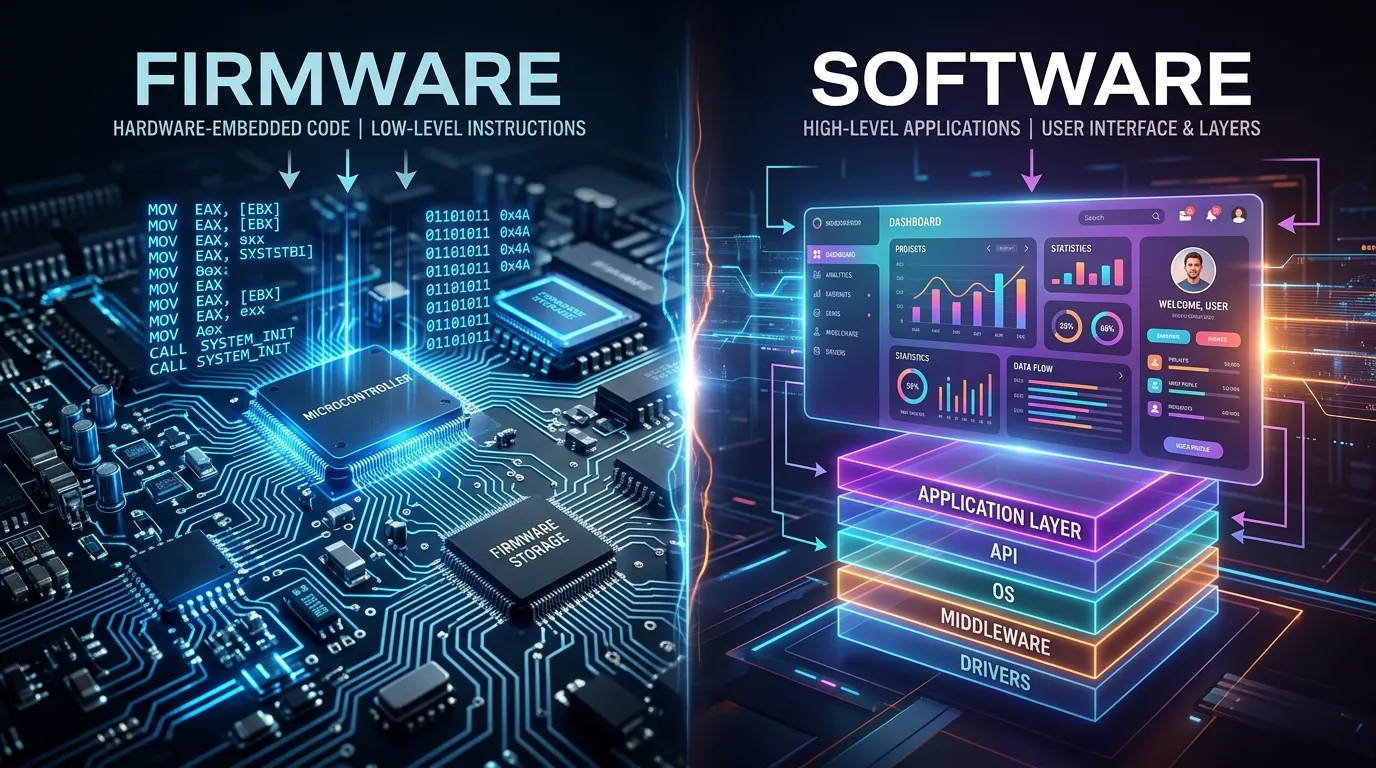
Firmware is software that lives inside hardware and helps the device work at a basic level. Software runs on top of the device and helps users complete tasks such as browsing, writing, or gaming.
Keep reading, we break down all 10 differences in plain, simple terms below.
Why Is This Difference Important to Know?
Understanding the difference between firmware and software helps when troubleshooting devices, updating systems, buying technology, or working in IT. If you know which one needs attention, you can solve problems faster and avoid installing the wrong update. This knowledge is useful for beginners, students, and professionals alike.
10 Points of Difference
1. Basic Definition and Meaning
Firmware is permanent or semi-permanent code stored inside hardware. It tells the device how to perform basic functions.
Software is a program users install to complete specific tasks.
Examples:
- Firmware controls an HP printer’s startup process.
- Microsoft Word is software used for creating documents.
2. Origin, Source, or Main Components
Firmware is stored in memory chips such as flash memory or ROM. It comes pre-installed by the manufacturer.
Software is usually created by software developers and installed later by users.
Examples:
- Samsung TV firmware comes from Samsung.
- Adobe Photoshop software comes from Adobe.
3. Process: How It Is Made or Done
Firmware is written close to the hardware level and is designed to communicate directly with device components.
Software is developed for users and usually works through an operating system.
Examples:
- Router firmware manages network functions.
- Zoom software enables video meetings.
4. Time Involved or Duration
Firmware often stays unchanged for long periods. Updates are less frequent.
Software changes more often because developers regularly add features and fix bugs.
Examples:
- A keyboard firmware update may happen once a year.
- Google Chrome updates every few weeks.
5. Feel, Function, or Output Quality
Firmware focuses on stability and device operation. It usually works behind the scenes.
Software focuses on user experience, features, and convenience.
Examples:
- PlayStation controller firmware ensures proper button response.
- Spotify software lets users stream music easily.
6. Primary Use Cases
Firmware helps hardware start, communicate, and function correctly.
Software helps people complete tasks, solve problems, or enjoy entertainment.
Examples:
- Firmware powers a smart thermostat.
- Microsoft Excel helps users analyze data.
7. Effect or Impact
Firmware affects whether hardware can function properly.
Software affects what users can do with the hardware.
Examples:
- Faulty BIOS firmware can stop a PC from booting.
- Faulty accounting software can create reporting errors.
8. Degree of Specificity or Precision
Firmware is highly specific to one device or model.
Software often works across many devices and platforms.
Examples:
- Canon camera firmware fits specific camera models.
- VLC Media Player works on many operating systems.
9. Can They Replace Each Other?
No. Firmware and software perform different jobs.
Firmware provides basic device control. Software provides user-facing functions.
Examples:
- Router firmware cannot replace a web browser.
- Microsoft Edge cannot replace router firmware.
10. Long-Term Results or Lasting Impact
Firmware updates can improve hardware performance, security, and stability for years.
Software updates improve features, usability, and productivity over time.
Examples:
- Apple AirPods firmware updates improve connectivity.
- Microsoft Office updates add new tools and features.
Nature and Behaviour
Firmware is quiet and dependable. It stays close to the hardware and rarely changes. Most users never notice it unless an update is required.
Software is flexible and interactive. Users open it, update it, and use it daily. It changes frequently as developers add improvements and new capabilities.
Why Do People Confuse Them?
People confuse firmware and software because both are made of computer code. Both can receive updates. Both help devices function properly.
A common mistake happens when someone updates an app to fix a hardware issue when the real solution requires a firmware update for the device itself.
Comparison Table
| Feature | Firmware | Software |
| Definition | Code inside hardware | Programs used by people |
| Origin | Device manufacturer | Software developers |
| Process | Works directly with hardware | Works through operating systems |
| Duration | Long-lasting | Frequently updated |
| Output | Device operation | User functions |
| Main Use | Control hardware | Perform tasks |
| Impact | Hardware functionality | User productivity |
| Interchangeable? | No | No |
| Long-term Result | Better device performance | Better features and usability |
| Similarity | Both contain code | Both contain code |
| Key Difference | Hardware-focused | User-focused |
📌 Save this for later, bookmark this page or share it with someone who always mixes up firmware and software.
Which Is Better and When?
Firmware is better when you need hardware to operate correctly. For example, updating router firmware can improve network stability and security.
Software is better when you need features and functionality. For example, installing photo-editing software helps create and edit images efficiently.
Quick Decision Guide
Choose Firmware if:
☑ You control hardware functions
☑ Device startup is important
☑ Hardware communication matters
☑ Security patches affect devices
Choose Software if:
☑ You need user features
☑ You complete daily tasks
☑ You install applications regularly
☑ User experience is important
Still unsure? Drop your question in the comments, we answer every single one.
Metaphors and Similes
Firmware is the engine inside a car. It keeps everything running.
Software is the driver using the car to reach a destination.
Together, they work like a stage and a performer. One provides the foundation, while the other delivers the experience.
Connotative Meaning
Firmware
- Positive: Reliable firmware improved device security.
- Negative: Faulty firmware caused repeated crashes.
- Neutral: Engineers tested the firmware version.
Software
- Positive: New software increased productivity.
- Negative: Buggy software frustrated users.
- Neutral: The company installed software updates.
Both words can carry positive, negative, or neutral meanings depending on how they are used.
Idioms and Proverbs
- “Under the hood” often describes firmware. Example: The update improved performance under the hood.
- “Tools of the trade” often describes software. Example: Graphic designers rely on software as tools of the trade.
- [Coined expression] “Fix the engine before the dashboard.” Example: We updated the firmware before changing software settings.
Frequently Asked Questions
1. What is the main difference between firmware and software?
Firmware controls hardware at a basic level and is usually built into the device. Software helps users perform tasks such as writing, browsing, gaming, or editing files.
2. Can firmware be used instead of software?
No. Firmware and software serve different purposes. Firmware manages device functions, while software provides features and tools for users.
3. Which is better, firmware or software?
Neither is better overall. Firmware is essential for hardware operation, while software is essential for user productivity and entertainment.
4. How long does firmware or software last?
Firmware often remains unchanged for long periods. Software receives updates more frequently because developers regularly improve features and fix issues.
5. Why do people mix up firmware and software?
Both involve computer code and updates. Many people assume they are the same because they work together inside modern devices.
Related Reading
You might also like:
→ RAM vs ROM — /ram-vs-rom/
→ Hardware vs Software — /hardware-vs-software/
Real-World Importance
Knowing the difference between firmware and software helps when updating routers, fixing smartphones, troubleshooting computers, or managing smart home devices. It helps users identify the real source of a problem and choose the correct solution instead of wasting time on unnecessary updates.
Conclusion
The difference between firmware and software is easier to understand once you know their roles. Firmware lives close to the hardware and controls essential device functions. Software sits on top and helps users complete tasks, create content, communicate, and have fun.
Both are important, but they serve different purposes. Now that you know the difference, you’ll never mix them up again. The next time a device asks for an update, you’ll know whether it’s improving the hardware itself or the programs you use every day.
Read More: What’s the Real Difference Between Systemic and Systematic?

I’m Ayesha Sadiqah, and I’m passionate about answering one simple question: “What’s the difference?” Through clear comparison guides, I help readers understand commonly confused words, products, concepts, and everyday topics. My goal is to make complex ideas easy to understand with accurate, practical, and reader-friendly explanations.